The meeting copilot that answers in your headset
It hears the question put to you, answers in your ear while the meeting goes on, explains what is on your screen and writes the minutes when the call ends.
Ask
CtrlAltAListen
CtrlAltL
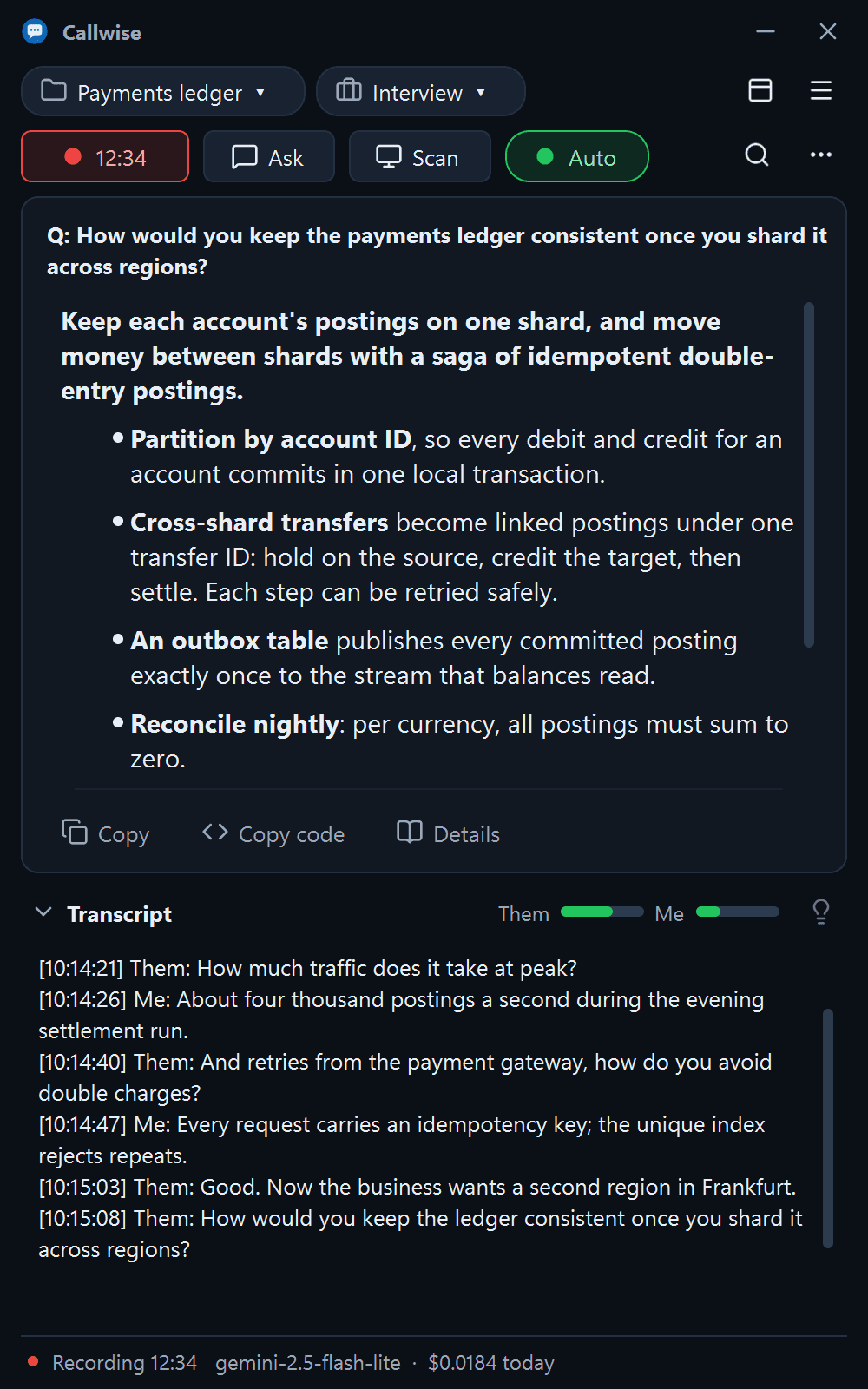
Scan
CtrlAltSMinimal
CtrlAltO
Ready in about five minutes
Install
Unzip the download and run install.ps1. It installs for your user only, no administrator rights needed.
Sign in
The setup wizard signs you in with Google and picks your headset and microphone.
Add your AI key
Paste a key from OpenRouter, OpenAI, Anthropic, Google Gemini or xAI. You pay the provider directly; we add nothing on top.
Built for the moment someone asks you a question
Every action has a hotkey that works while Teams, Zoom or any other window has focus.
Answers in your headset, while they are still talking
Press Ask and the last few seconds become a brief, speakable answer, read into your headset as it streams. Turn on Auto and it answers when you are asked a question.
- Ask CtrlAltA
- Listen CtrlAltL
Explains what is on your screen
Scan explains the shared slide or dashboard in the context of what was just said. Solve works the problem on screen: code, complexity, a dry run and edge cases.
- Scan CtrlAltS
- Solve CtrlAltD
Never in your screen share
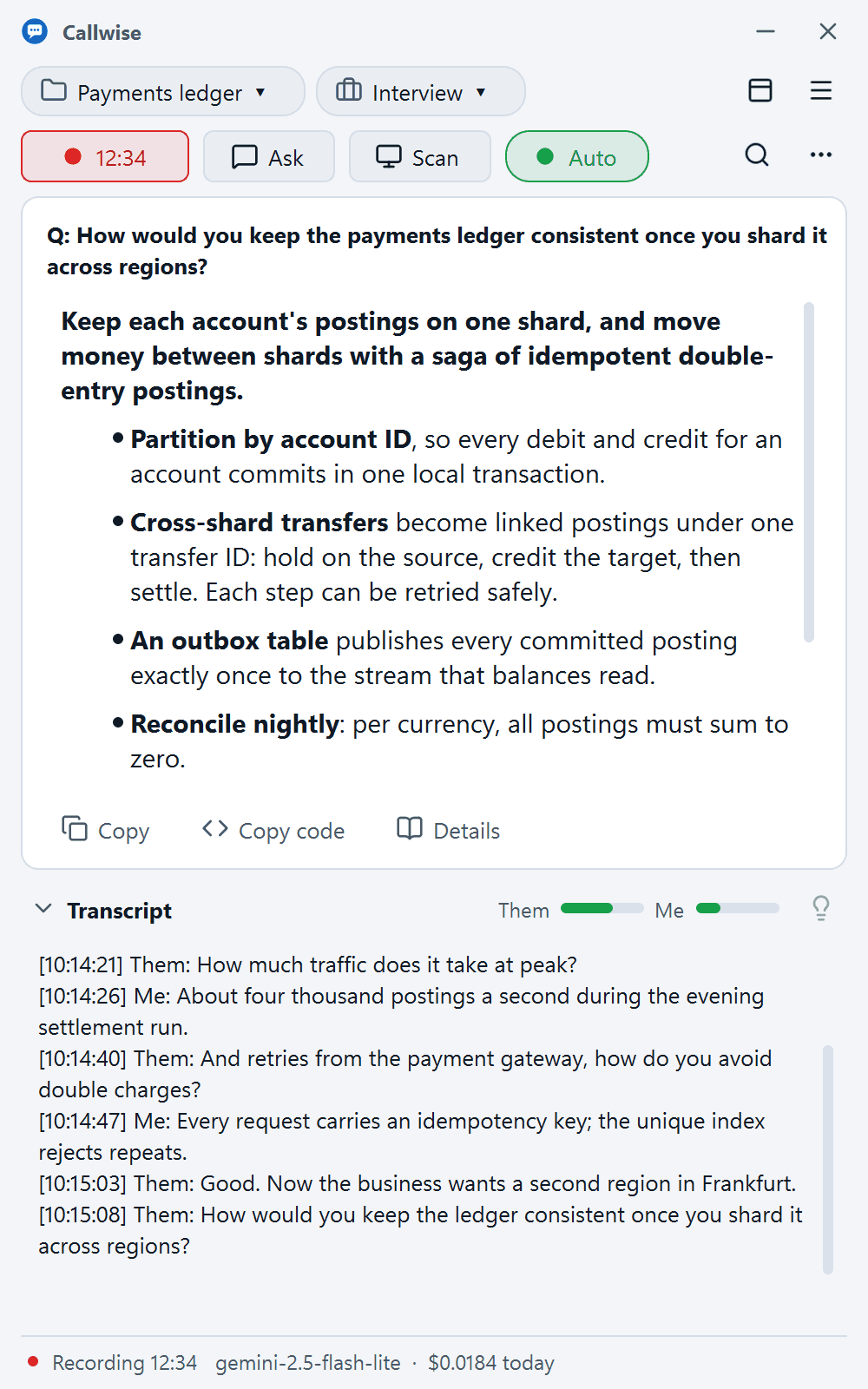
A see-through strip at the top of the screen with only the answers; clicks pass through it. The window, its menus and dialogs never appear in screen shares.
- Minimal CtrlAltO
The minutes are ready when the call ends
The recording is transcribed again in full, then summarised: decisions, action items and open questions. Answers draw on your project notes and past meetings.
Minutes · Sprint review
Summary
- Checkout redesign ships behind a flag next week.
Decisions
- Keep the old flow for enterprise accounts
- Move load tests to Thursday
Action items
- Priya: flag rollout plan by Friday
- Sam: fix the retry banner copy
Open questions
- Do we need a migration for saved carts?
Everything it does
Listen
CtrlAltLStart, then stop for an answer about that stretch.
Ask
CtrlAltAOne press answers the last few seconds.
Scan
CtrlAltSExplains the slide or dashboard on screen.
Solve
CtrlAltDCode, complexity, dry run and edge cases.
Minimal mode
CtrlAltOAnswers only, hidden from screen shares.
Explain
Any transcript line: its meaning and a reply.
Minutes
Decisions, actions and open questions.
Memory
Draws on your notes and past meetings.
Meeting types
Interview, Review, Demo, Stand-up, General.
Private by design, in plain words
The desktop app never holds a key or a prompt. Recording other people may need their consent where you are; the app shows a notice before a recording starts.
Your recordings stay on your PC
Both audio streams are saved locally, with your notes, past meetings and the memory index.
Speech passes through, never stored
For the live transcript, short speech snippets pass through our server to your speech provider (OpenAI, Google Gemini or OpenRouter). Silence is never sent.
No prompts, text or screenshots kept
Transcript snippets and screenshots go to the AI provider you chose. We keep usage counts, never the content.
Keys encrypted on our server
Your provider keys are used only for your requests and are never sent to the desktop app.
Where each piece of data goes
The meeting recording stays on your PC. While transcribing, short speech snippets pass through our server to the speech provider whose key you added (OpenAI, Google Gemini or OpenRouter); transcript snippets and screenshots go to the AI provider you chose. We store none of them. Your provider keys are stored encrypted and used only for your requests.
| Data | Where it goes | Stored by us |
|---|---|---|
| Meeting recording | Stays on your PC | No |
| Speech snippets (live transcript) | Pass through our server to your speech provider (OpenAI, Google Gemini or OpenRouter) | No |
| Transcript snippets, screenshots | Pass through our server to your AI provider | No |
| Your provider keys | Encrypted on our server, used only for your requests | Yes |
| Account email, plan, usage counts | Our server | Yes |
| Notes, past meetings, memory index | Your PC | No |
Free to start. Pro when you want all of it.
Bring your own AI key and pay the provider directly: the live transcript is about $0.10–0.40 per meeting hour on the default model.
Free
Scan and explain your screen, and ask your project notes.
- Meeting recording
- Meeting types
- Scan screen
- Explain a line
- Ask notes
Pro
The live transcript, answers in your headset and every AI feature.
- Everything in Free, plus
- Live transcript
- Answers in your headset
- Auto-answer
- Solve screen
- Details
- Minutes
- Projects and memory
Ready for your next meeting?
Windows 10 version 2004 or later. Any PC, no graphics card needed; about 120 MB.